









Data centers and semiconductor fabs can plan electrical connection temperature monitoring according to the loads supplied by their distribution equipment and the importance of those services. Distribution panels, switchgear, ring main units and transformers have different structures. Monitoring locations include busbar joints, circuit breaker contacts and cable joints inside panels, as well as transformer bushings and terminals.
This guide is a starting point for monitoring planning in data centers and semiconductor fabs. First select important equipment, then follow the relevant guides on load changes, measurement coverage, equipment configuration, or interpreting power and temperature data.
Reading guide: jump to the section that answers your question
Why do electrical connections heat up, and how do temperature and power monitoring work together?
Data centers: which power distribution equipment should you start with?
How can semiconductor fabs reduce unplanned downtime related to power distribution?
Which signals need further investigation?
Deployment and maintenance: from the first asset to verification after corrective work
How PQSense turns electrical connections into traceable measurement points
Choose your next step for the task at hand
Start by assessing one important power distribution asset
Why do electrical connections heat up, and how do temperature and power monitoring work together?
Loose busbar bolts, oxidized or corroded contact surfaces, and worn contacts may increase contact resistance and cause localized heating. Prolonged overheating may damage connections and nearby insulation. Interpret temperatures alongside load and cooling conditions.
Power monitoring tracks supply conditions such as current and voltage; temperature monitoring provides actual connection temperatures and their changes. Neither replaces the other. For their respective roles, see “Why Does a Data Center with Power Monitoring Still Need Electrical Connection Temperature Monitoring?” .
Data centers: which power distribution equipment should you start with?
First identify equipment whose power abnormalities could affect important services, then confirm suitable monitoring locations inside it. The table explains why each equipment category merits assessment. Actual measurement points and sensor configurations still depend on equipment structure.
| Equipment | Why it matters |
|---|---|
| Medium-voltage switchgear (including incoming supply) | An incoming-supply abnormality may affect multiple downstream circuits. |
| Ring main units | Supply medium-voltage feeders and connected transformers; abnormalities may affect downstream power. |
| Transformers | Bushing or terminal abnormalities may affect downstream power. |
| Low-voltage distribution panels (including sub-distribution panels) | Prioritize assessment when they supply important customer racks. |
| Cooling equipment supply panels (including motor control centers) | Supply chillers, pumps or fans that support cooling operations. |
The actual impact of these abnormalities depends on the power configuration and redundancy arrangements.
For actual measurement points, corresponding sensors, and installation and acceptance steps, see “Which Data Center Power Distribution Equipment and Hotspots Should Be Monitored?” .
Assessment example: which distribution panel merits monitoring?
For example, a panel supplying racks rented by an important customer merits temperature monitoring because an abnormal connection inside it may affect customer services. Track changes at its busbar joints and circuit breaker connections.
Data center FAQ
How can a data center identify power distribution equipment abnormalities early?
Under similar load and environmental conditions, track whether the same connection remains hot or repeatedly heats up after maintenance, then arrange inspection. For the basics of measurement methods and data uses, see the industrial temperature monitoring guide.
Do you still need connection temperature monitoring if you already have power monitoring?
If the existing power monitoring does not obtain connection temperatures, connection temperature measurements can be added. The systems measure different things; using them together provides visibility into both supply conditions and localized thermal changes.
Further reading: “Why Does a Data Center with Power Monitoring Still Need Electrical Connection Temperature Monitoring?” .
Can connections overheat when the equipment room's ambient temperature is normal?
They may. Air temperature and localized connection temperature are different measurement targets. Connection deterioration may heat a particular terminal or joint while ambient readings remain normal. Check where the existing temperature sensors are located.
Further reading: “Why Can Electrical Connections Overheat When Data Center Room Temperatures Are Normal?” .
Should monitoring be reassessed when AI rack density increases?
First check whether the affected equipment's load, operating hours or cooling power supply has changed, then assess whether the existing inspections and temperature baseline remain adequate.
Further reading: “As AI Data Center Power Density Rises, How Should Electrical Connection Monitoring Keep Up?” .
How can an operating data center begin deployment?
Select an initial group of important equipment, confirm the actual connections, installation conditions and available work windows, then arrange installation during an outage and acceptance checks after re-energization.
For the equipment list and deployment steps, see “Which Data Center Power Distribution Equipment and Hotspots Should Be Monitored?” .

How can semiconductor fabs reduce unplanned downtime related to power distribution?
The table lists common power supply equipment in semiconductor fabs and why each category deserves attention.
| Equipment | Why it matters |
|---|---|
| Panels supplying shared facility equipment | Supply shared equipment such as air compressors; loose connections or localized overheating may affect operation. |
| Distribution panels for critical tools | Directly supply critical process tools; connection abnormalities may cause unplanned downtime. |
| Low-voltage panels supplying important equipment | Connections may oxidize or loosen during long-term operation, and localized heating can be difficult to identify visually. |
| Medium-voltage switchgear / upstream main distribution panels | Supply multiple downstream panels, so an abnormality may affect several circuits. The actual impact depends on the supply configuration and redundancy. |
In the semiconductor industry, a major assembly and testing plant in Taiwan has adopted PQSense as standard equipment throughout the plant, with more than 1,300 systems deployed. Wafer foundries and memory manufacturers have also adopted the system.
Assessment example: the supply panel for a shared air compressor
If an air compressor serves several critical process areas, its supply panel merits priority monitoring. The actual priority depends on the processes affected and standby arrangements.
For how supply impact and redundancy determine priorities, and when to schedule maintenance, see the guide to semiconductor electrical overheating and downtime risk.
For alert ownership, response timing and post-maintenance follow-up, see “How Can Semiconductor Fabs Use Passive RFID Temperature Monitoring for Power Distribution? From Alerts to Maintenance Follow-up” .
Which signals need further investigation?
First confirm that load and environmental conditions are similar, then compare historical temperatures at the same connection. Watch for persistent heating, recurring temperature rises, or heating that continues after maintenance.
| Observed signal | What it means on site |
|---|---|
| The same connection is hotter than before | Schedule an inspection to check for looseness or connection deterioration. |
| The same connection repeatedly heats up | Retain the event times and operating conditions, arrange inspection and track changes. |
| The original connection repeatedly runs hot after maintenance and restart | The issue may remain unresolved; arrange a follow-up inspection. |
An abnormal temperature is a lead for inspection, not a fault diagnosis. For comparable conditions and interpretation of common changes, see the “Equipment Condition Monitoring: Which Temperature Changes Warrant Inspection?” section of “Industrial Temperature Monitoring: Heat Sources, Methods and Deployment Decisions”.
Deployment and maintenance: from the first asset to verification after corrective work
Complete configuration and acceptance for one important distribution asset, then assess expansion based on reading results and maintenance needs. See the power distribution temperature monitoring deployment guide for installation and acceptance conditions. When an abnormality is found, assign ownership, investigate and verify the result after corrective work. For equipment and deployment planning, see “Which Data Center Power Distribution Equipment and Hotspots Should Be Monitored?” ; for on-site execution in semiconductor fabs, see “How Can Semiconductor Fabs Use Passive RFID Temperature Monitoring for Power Distribution? From Alerts to Maintenance Follow-up” .
How PQSense turns electrical connections into traceable measurement points
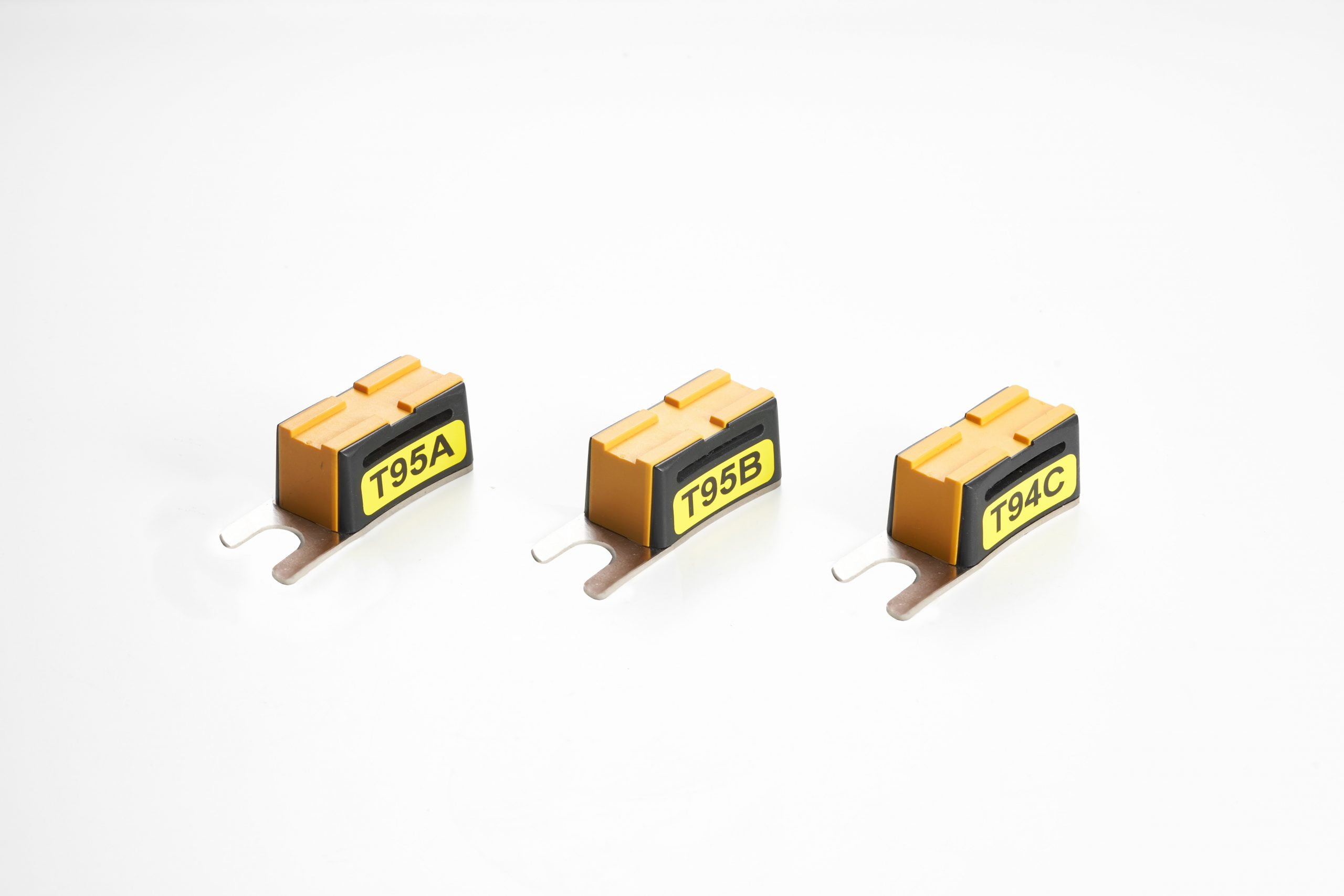
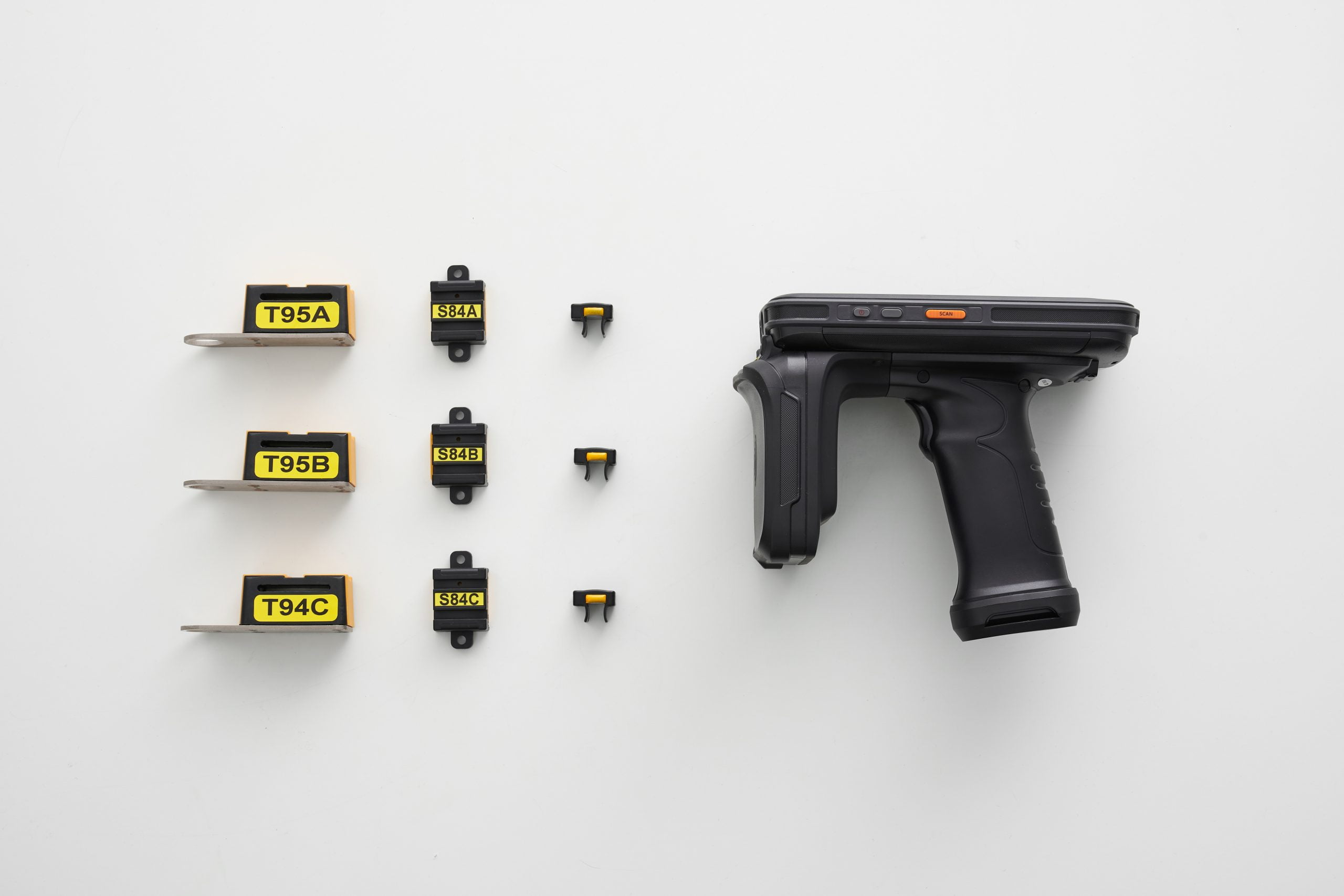
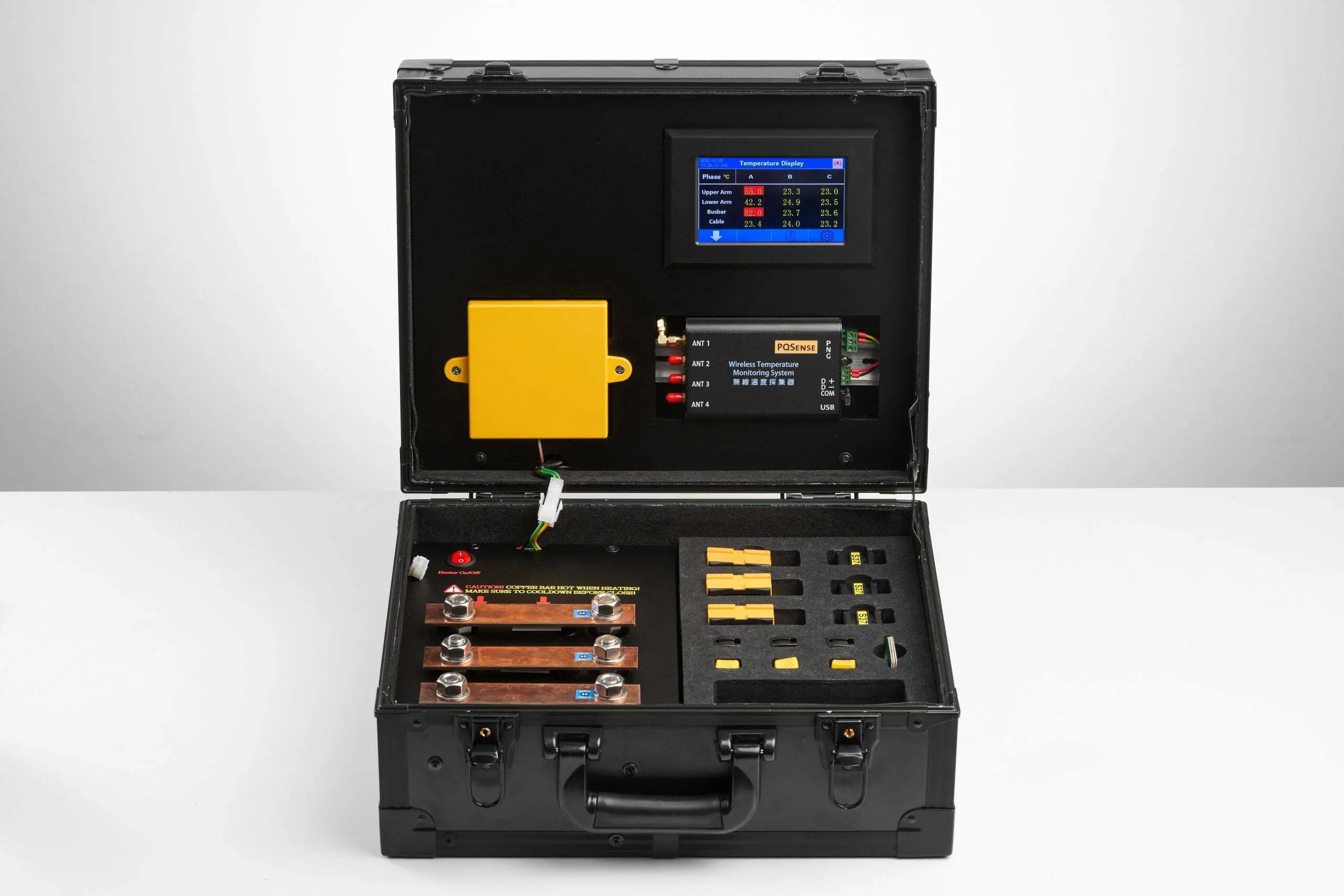
The PQSense wireless temperature monitoring solution places sensors at selected electrical connections and obtains temperature data through antennas, allowing maintenance staff to track changes at the same location. Sites can choose handheld or fixed configurations according to their inspection workflow and required data frequency.
PQSense solution specifications at a glance
| Item | Specification |
|---|---|
| System components | Battery-free RFID temperature sensors, temperature monitoring antennas and fixed temperature readers. |
| Power supply | The sensors are battery-free; the fixed reader requires external power. |
| Suitable measurement points | Suitable busbar joints, circuit breaker contacts or cable connections, depending on sensor model. |
| Data interface | The fixed reader supports RS485 / Modbus RTU. Connections to existing platforms and responsibility for alerts must be confirmed during deployment. |
| Sensor measurement range and accuracy | Sensor models with listed specifications: −20 to 125°C; accuracy ±2°C. |
| Deployment track record | According to PQSense’s October 2026 deployment reference, more than 16,000 systems have been deployed across more than 300 sites in 17 countries since 2017. About PQSense |
According to PQSense’s October 2026 deployment reference, more than 16,000 systems have been deployed across more than 300 sites in 17 countries since 2017. Customers span petrochemicals, semiconductors, steel, electronics manufacturing, and electrical equipment. About PQSense
Select sensors for the connection structure
Busbars, moving circuit breaker contacts and stationary contacts have different structures, and PQSense offers corresponding sensor designs. Provide photographs of the actual connections, available mounting locations and operating clearances to discuss installation and antenna reading configurations. See the relevant products and installation examples.
Choose the data collection workflow to suit the task
The fixed wireless temperature monitoring solution helps shift staff track connection changes between inspections. A handheld inspection system can scan multiple installed sensors within the effective reading range, associating point names with readings and records from that visit.
Watch the fixed configuration: sensors, antennas and readers
What to watch for: how connection sensors link through nearby antennas to acquisition equipment and a local display.
Watch handheld inspection: multipoint scanning and point records
What to watch for: staff visiting the equipment to scan and record point names with the readings obtained during that visit.
Choose your next step for the task at hand
For an introduction to heat sources, measurement methods and deployment decisions, start with the industrial temperature monitoring guide.
01 | Investigating a cause
Narrow the investigation with five electrical hotspot categories
02 | Choosing how to collect data
Compare the roles of inspection, thermography and continuous monitoring
03 | Deciding which equipment to monitor first
List distribution equipment supplying important loads and its heating history, then check deployment feasibility.
Assess which equipment merits continuous monitoring
04 | Planning deployment
Review production, installation and acceptance arrangements
Scope and limitations
The PQSense solution in this guide focuses on electrical connections with installed sensors. It does not measure an entire panel, every part inside the equipment or chip-cooling performance. Busways and rack PDUs cannot automatically use the same configuration merely because they are also power distribution equipment. Confirm the actual locations, mounting methods and reading conditions first.
Once installation and acceptance checks are complete, sensors can track connections during energized operation. This does not mean they can be installed on energized equipment, nor do they replace other necessary electrical inspections and maintenance. UPS-related locations and other configurations not specified here require separate confirmation of suitability.
Start by assessing one important power distribution asset
Choose a panel supplying important racks, critical tools or shared facility equipment. Gather photographs inside the panel, existing inspection records and available outage windows to discuss monitoring locations and data collection methods.
Discuss your monitoring configuration with PQSense
Technical references
IEEE Std 2969-2025: continuous temperature monitoring guidance for switchgear and motor control centers up to 52 kV.
ASHRAE TC 9.9 data center resources: a starting point for publications on data center thermal environments and power-equipment thermal management.
Uptime Institute Tier Standard: Topology: the entry point for the data center infrastructure topology standard.
NFPA 70B — Standard for Electrical Equipment Maintenance: the entry point for the electrical equipment maintenance standard.